How to create a Community Farm
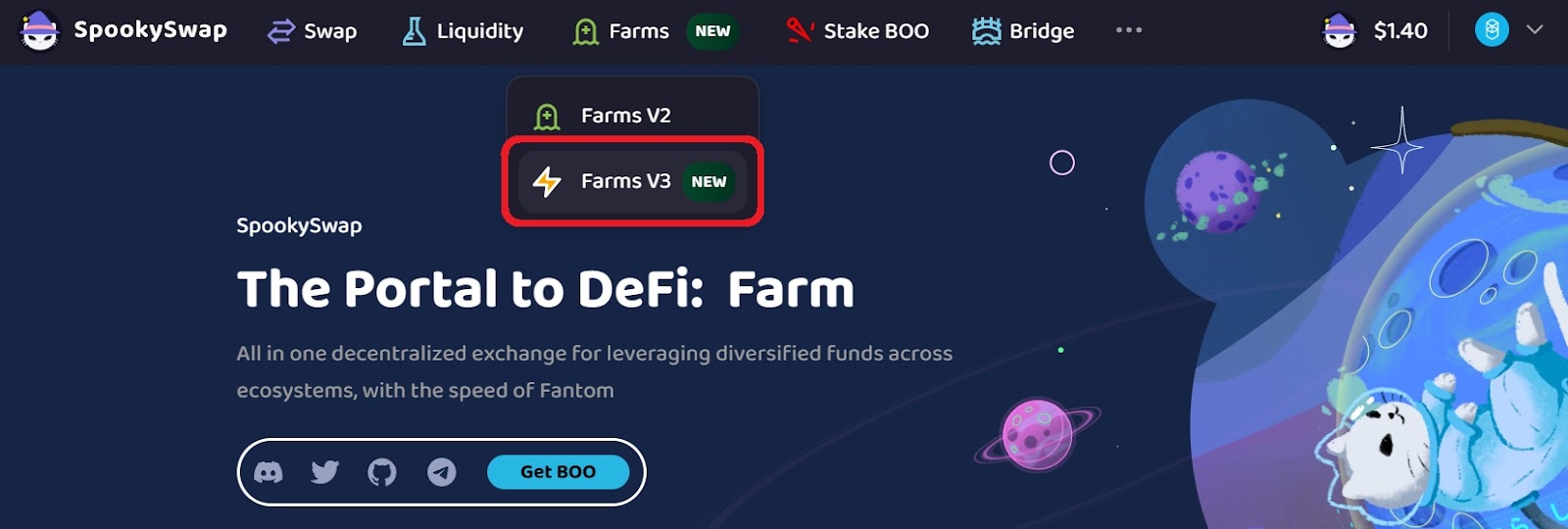
- On SpookySwap, select the Farms tab and choose Farms V3. Make sure your wallet is connected to the correct network (Fantom in these examples).
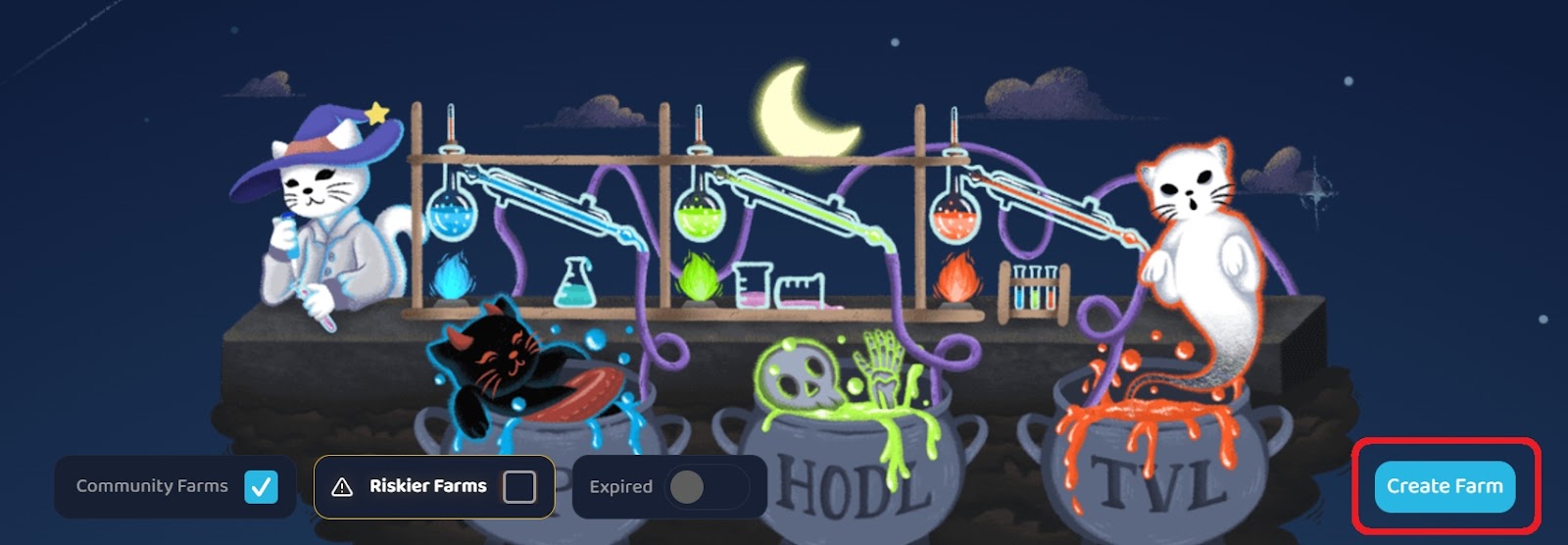
- Click Create Farm on the Farms V3 page.
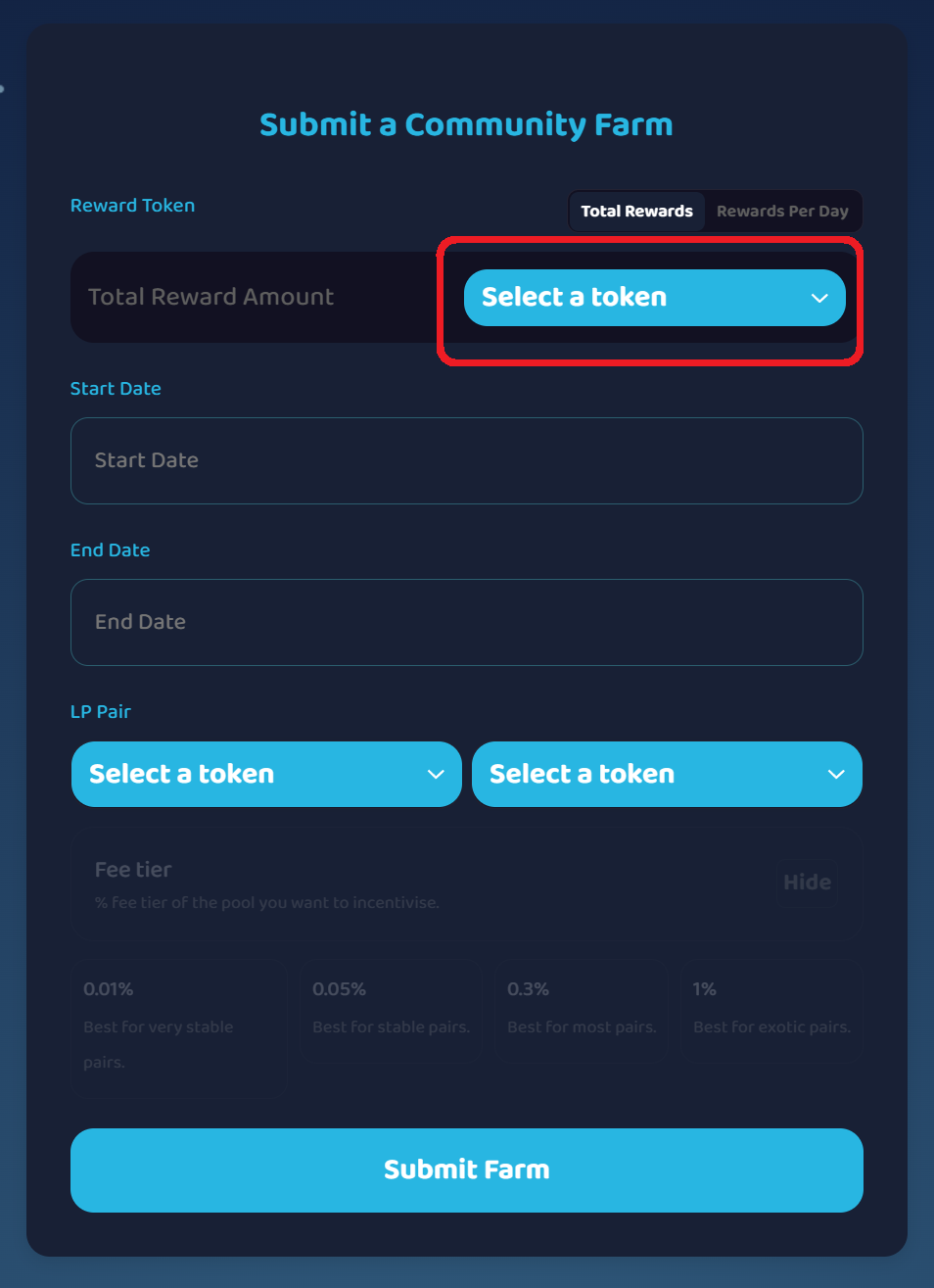
- Select a Reward Token.
- Enter the Total Rewards for the whole farm duration or the Rewards Per Day.
Estimated Daily Rewards are calculated automatically.
Note: Rewards per day must exceed $5 to appear publicly in the Farms list.
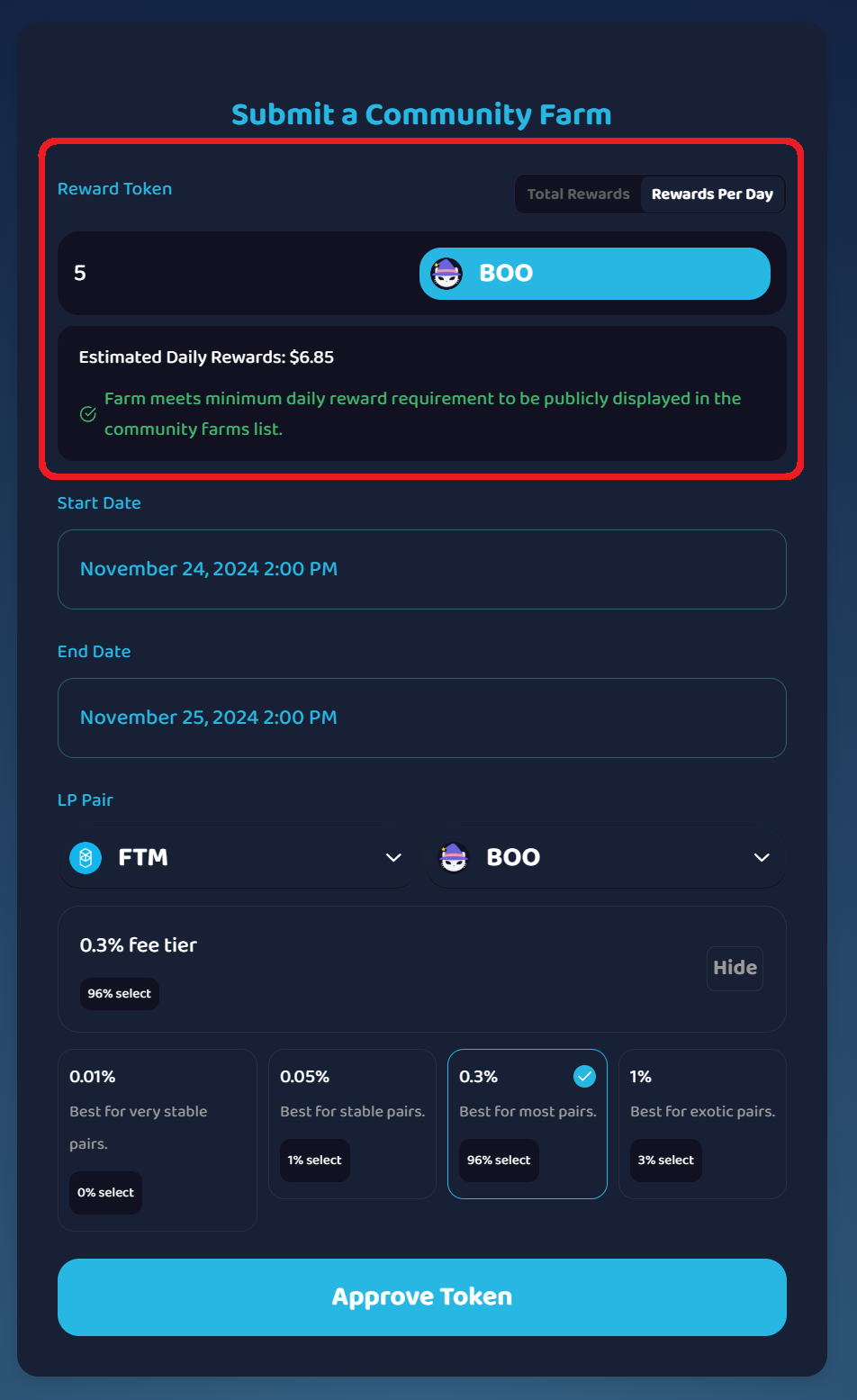
- Choose a Start and End date/time (15-minute intervals: e.g., 2:00, 2:15, 2:30, …).
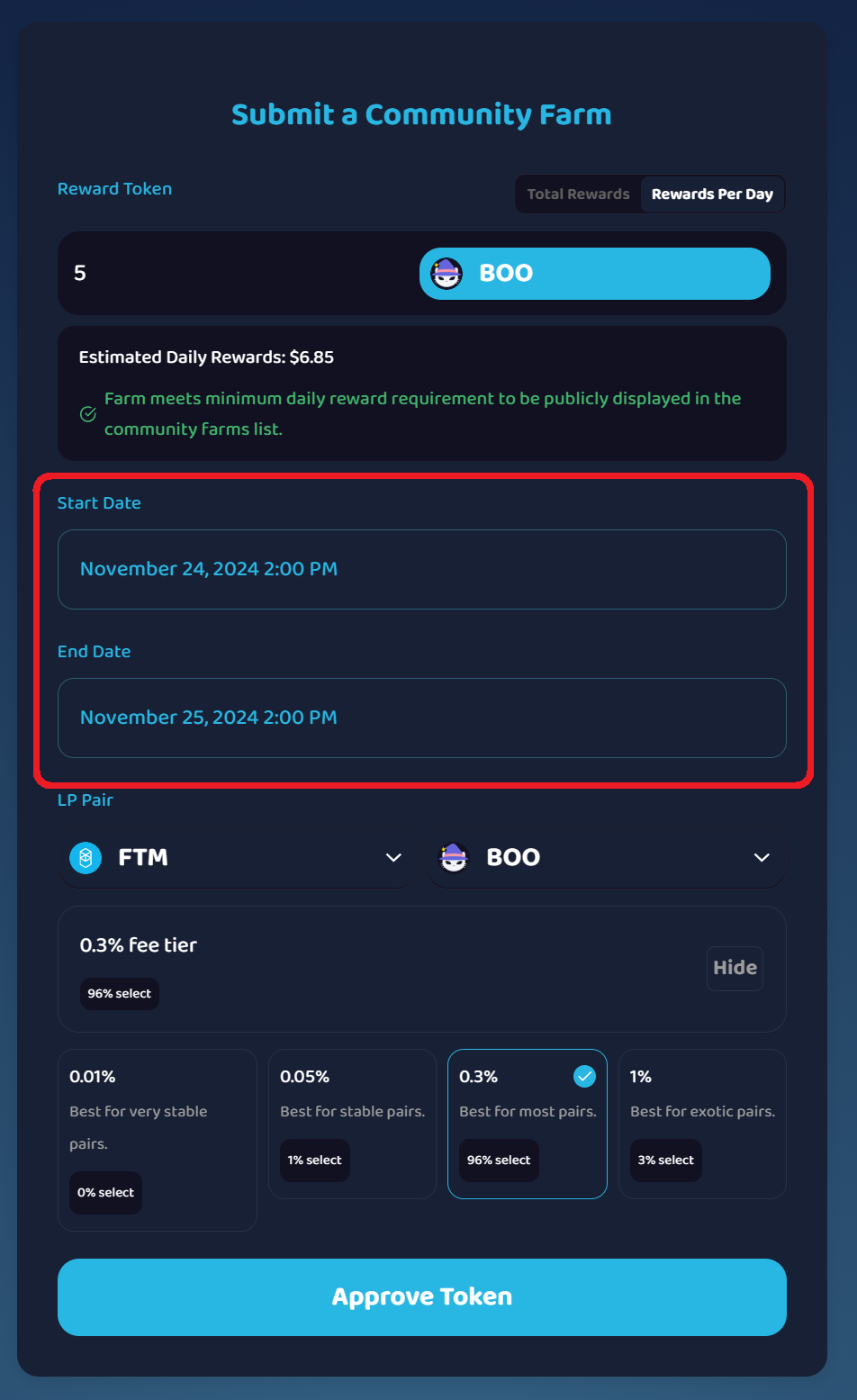
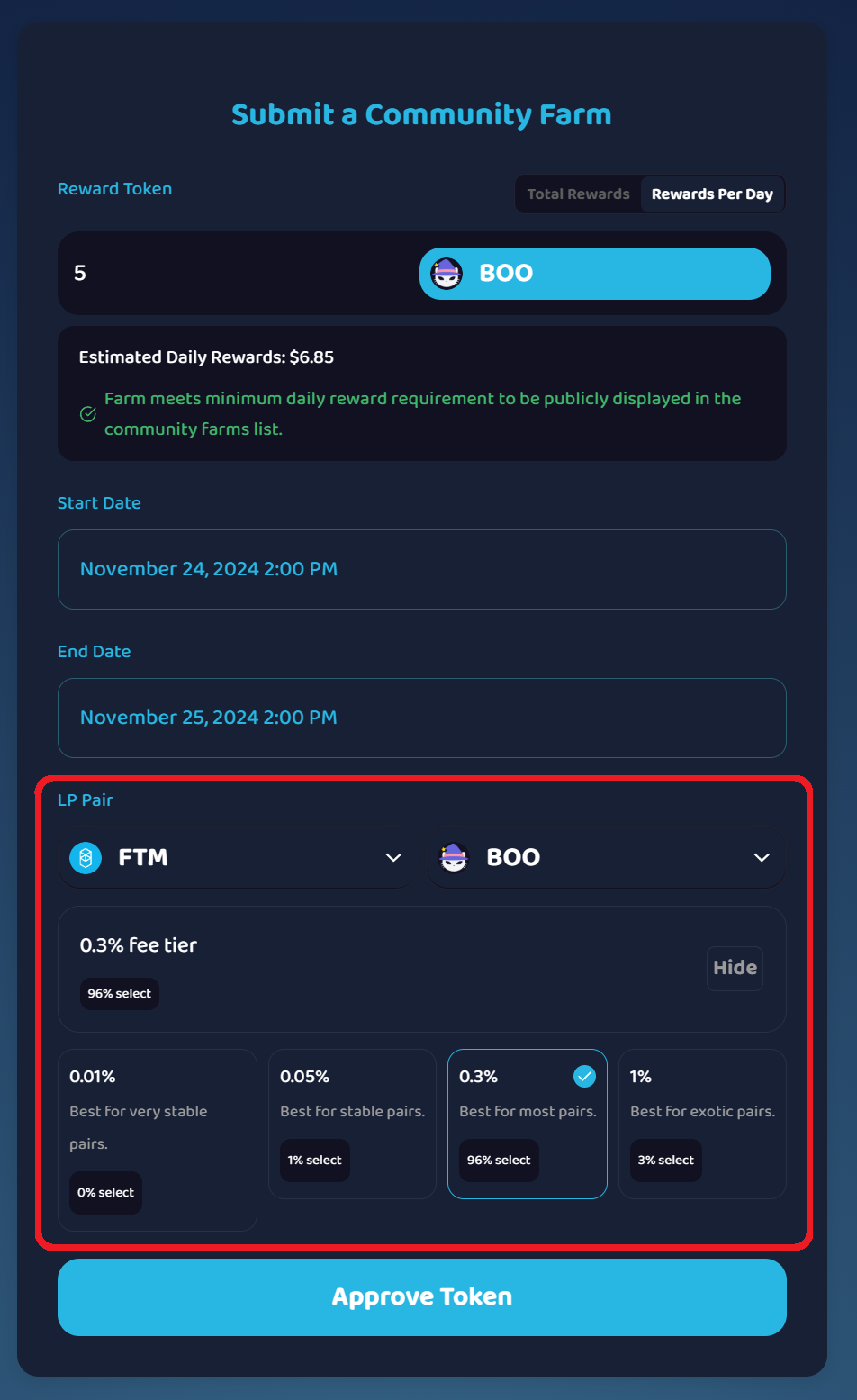
- Select the V3 LP Pair and Fee Tier.
The target V3 LP pool must already exist on SpookySwap—create it first by providing some liquidity if needed.
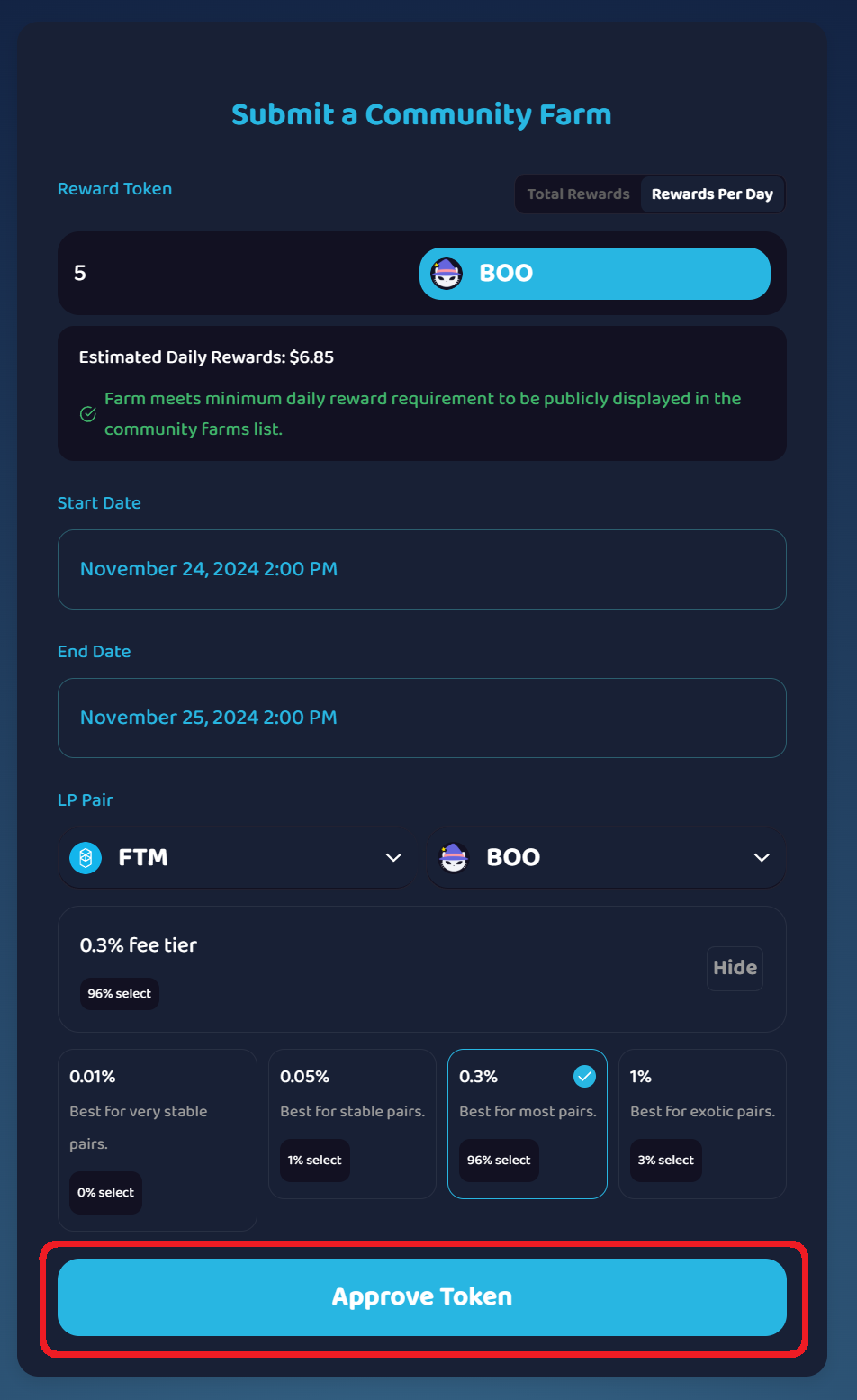
- Click Approve Token and confirm the approval in your wallet.
- Click Submit Farm.
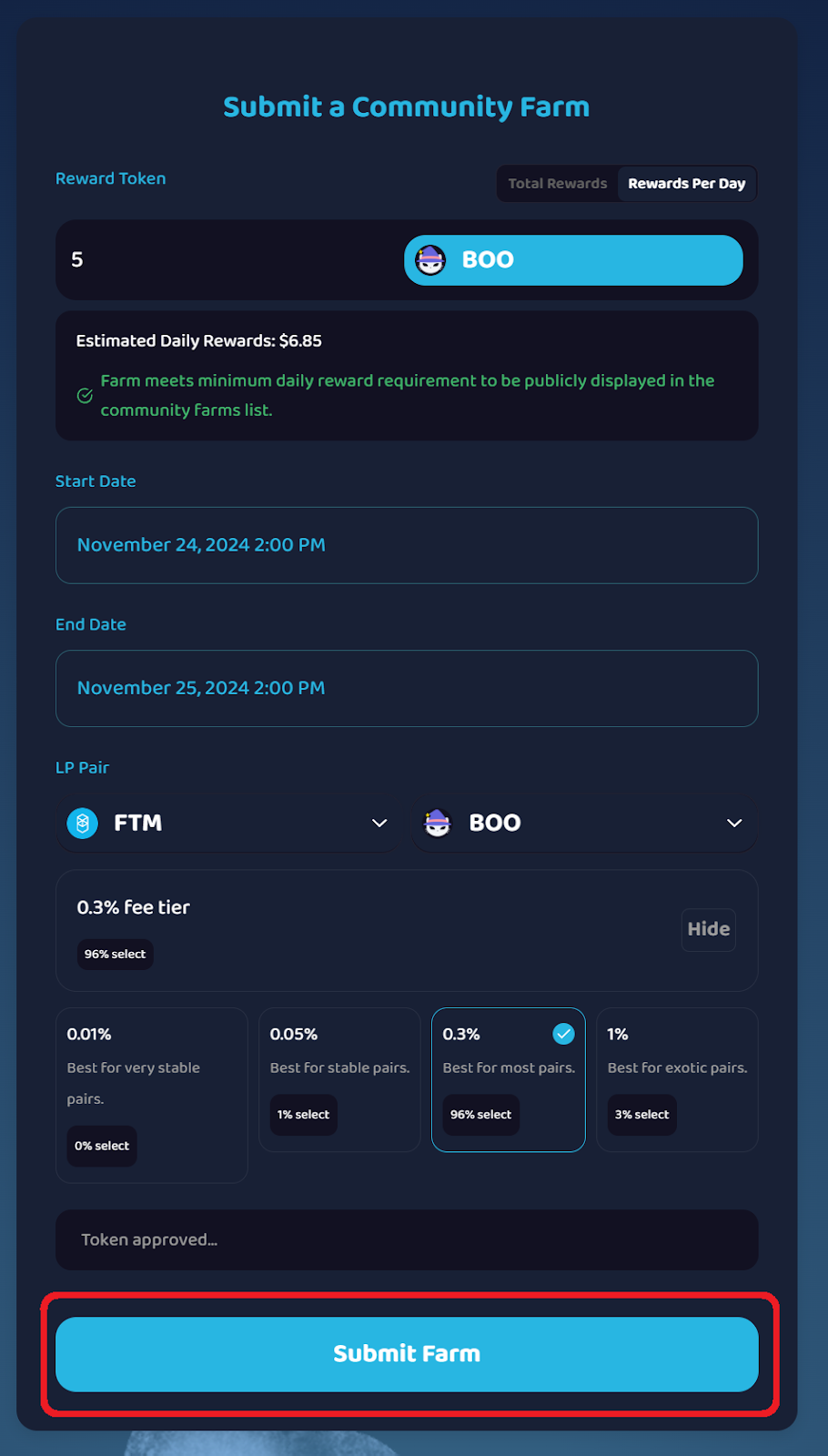
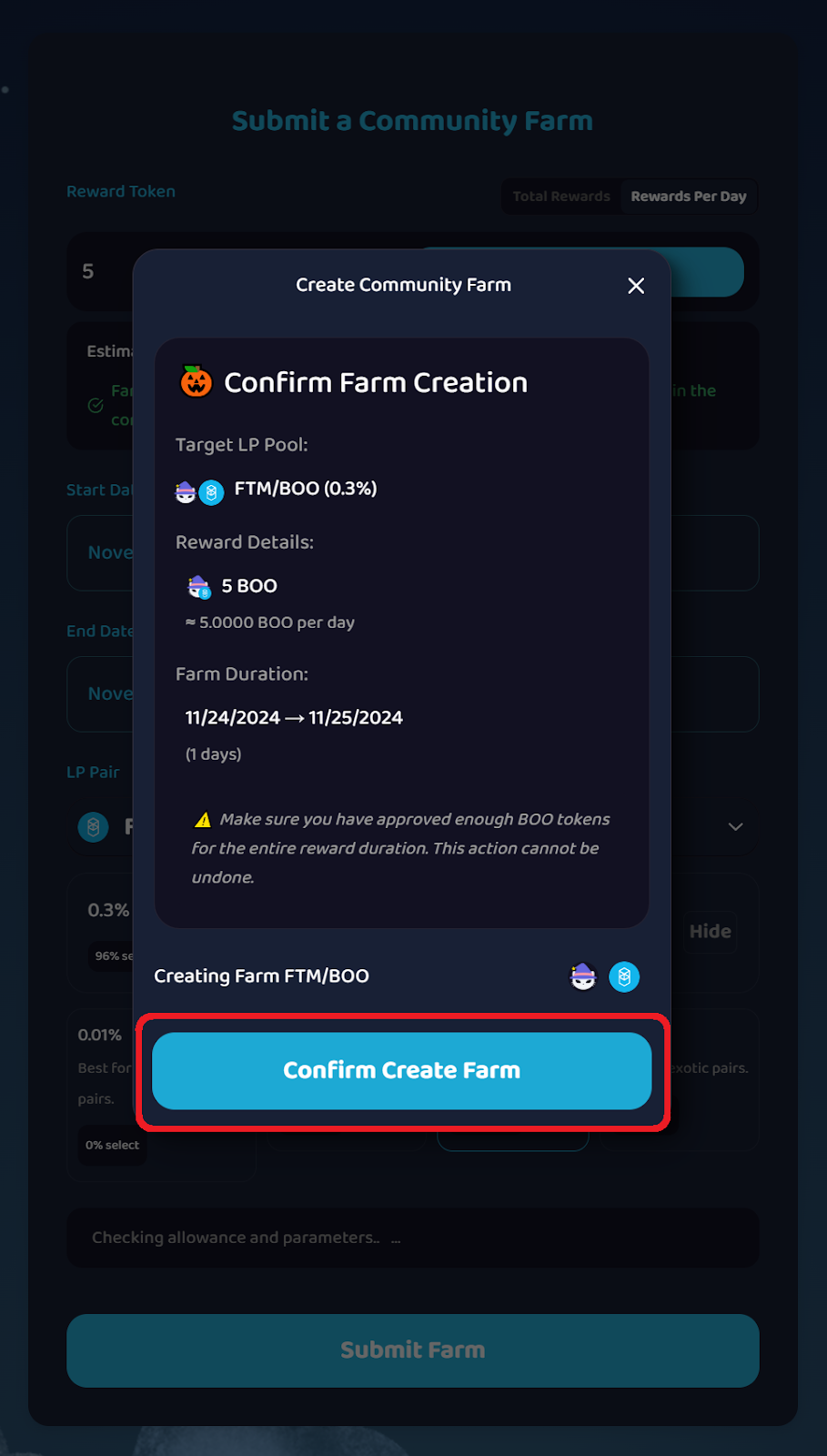
- Review the farm details and make sure everything is correct, then click Confirm Create Farm.
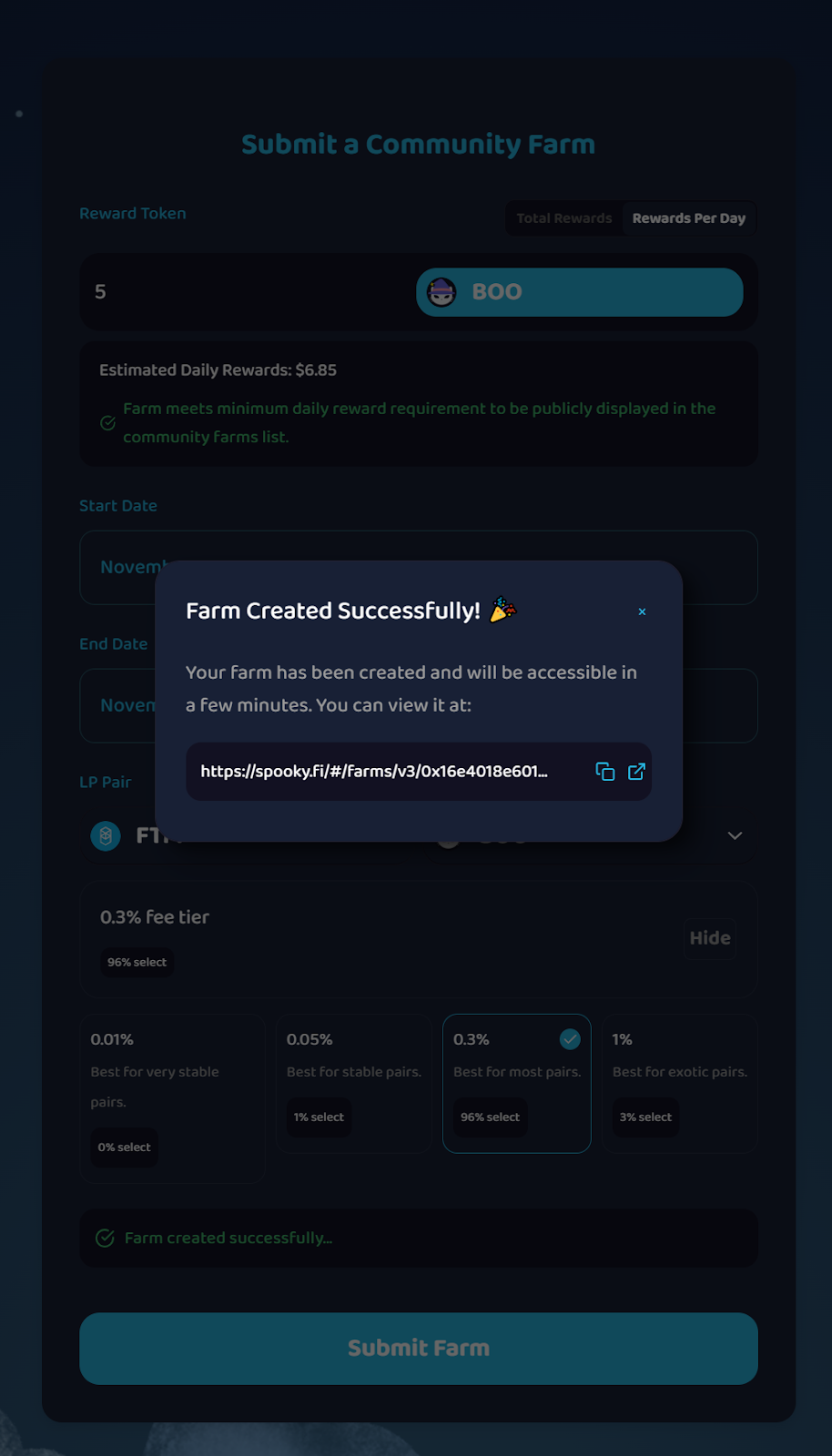
- Community Farm Created Successfully!
You may need to wait a few minutes before it becomes accessible.
Info — Vesting Period (72h)
V3 Farms have a 72-hour vesting period to discourage farm-and-dump.
You still earn rewards the whole time you’re staked in an active farm, but if you unstake before 72h from your deposit, you receive proportionally less rewards.
After 72h, you keep earning rewards and can withdraw your full owed rewards at any time.