Spooky Perps Trading Guide
Step 1: Connect Your Wallet and Create an Account
-
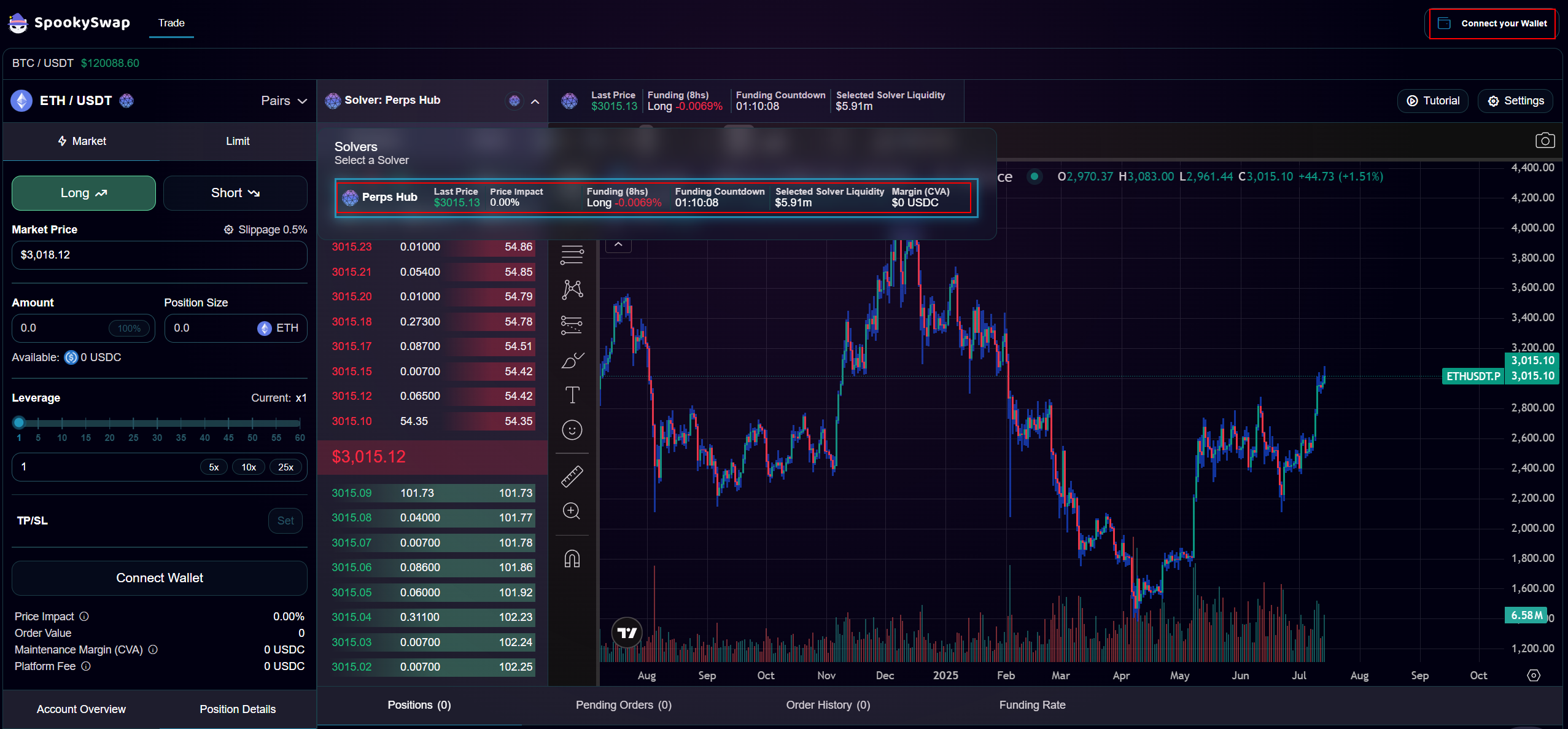
Go to the Spooky page and click the top-right corner to connect your wallet.
-
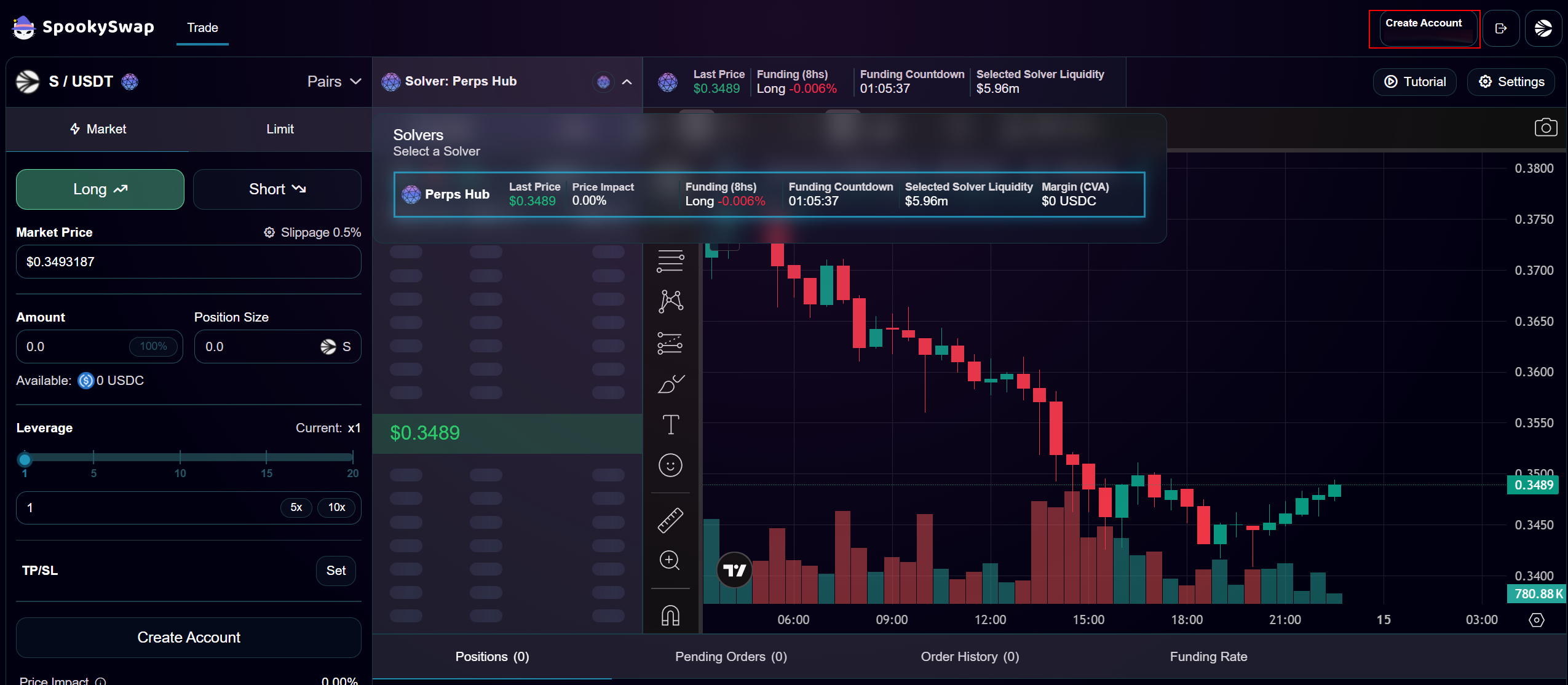
Click “Create Account” in the same box.
-
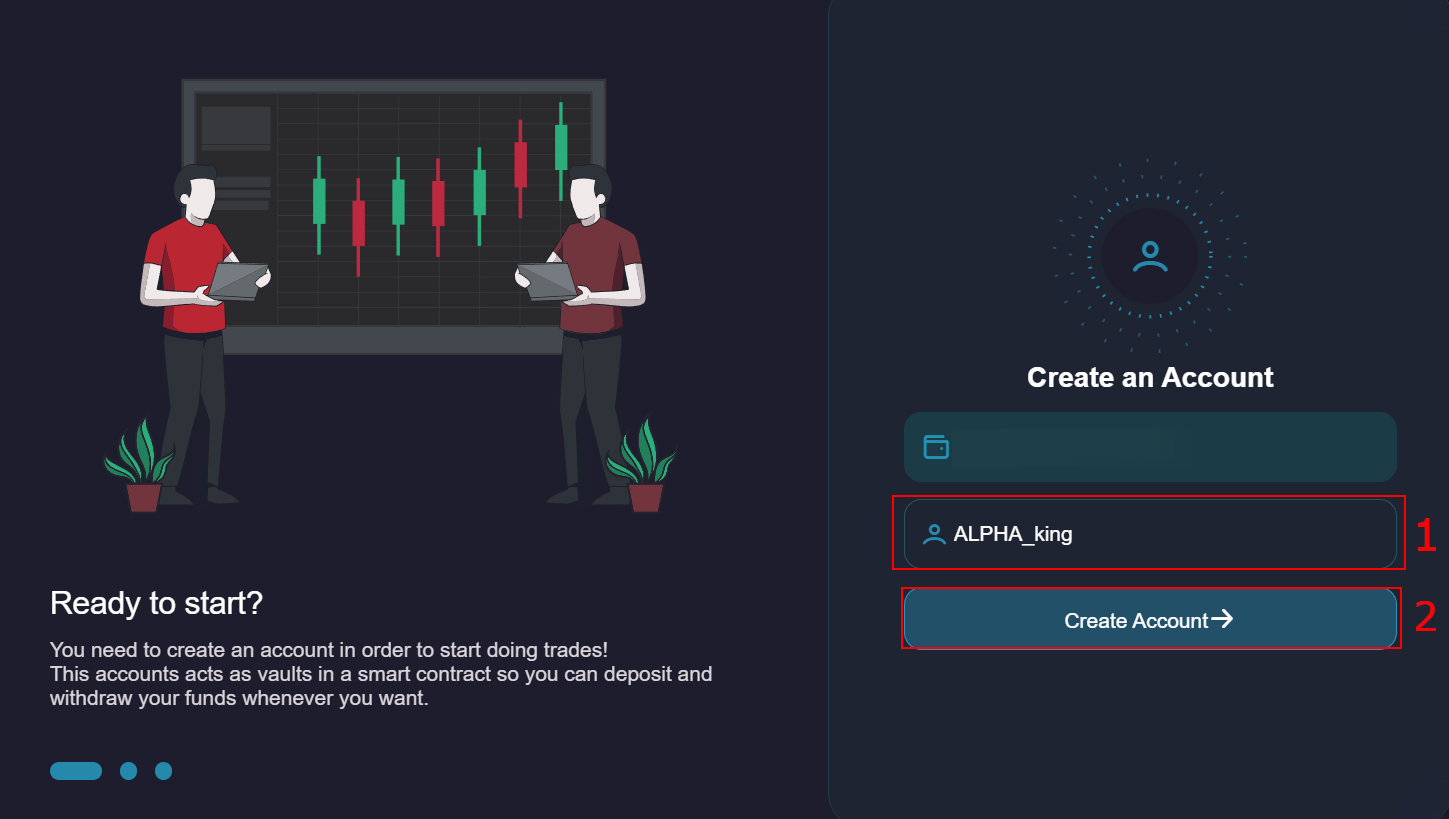
Enter your preferred username and click “Create Account.”
-
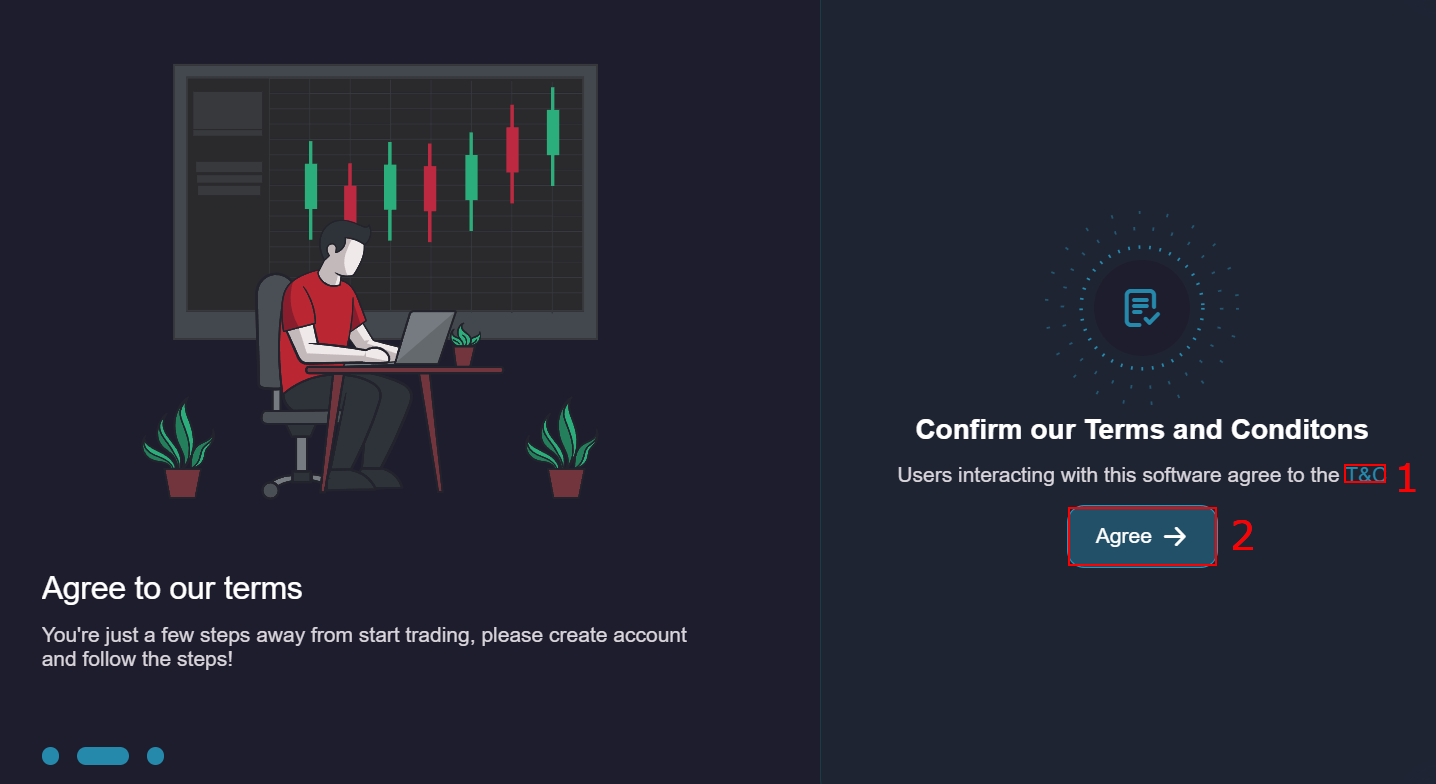
Review the Terms & Conditions (T&C) and click “Agree.”
-
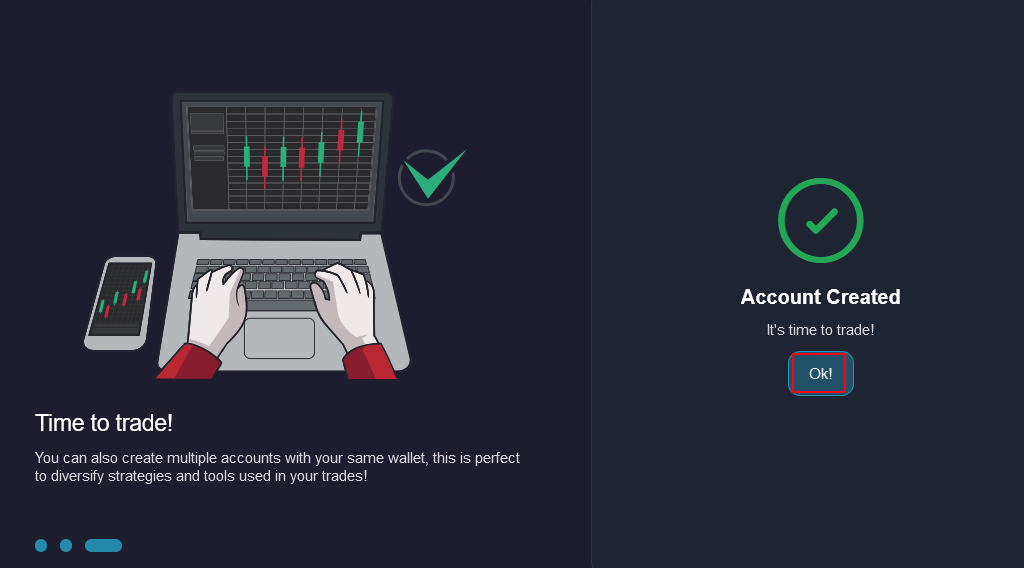
Confirm in your wallet, then click “Ok!” to proceed.
Step 2: Make a Deposit
-
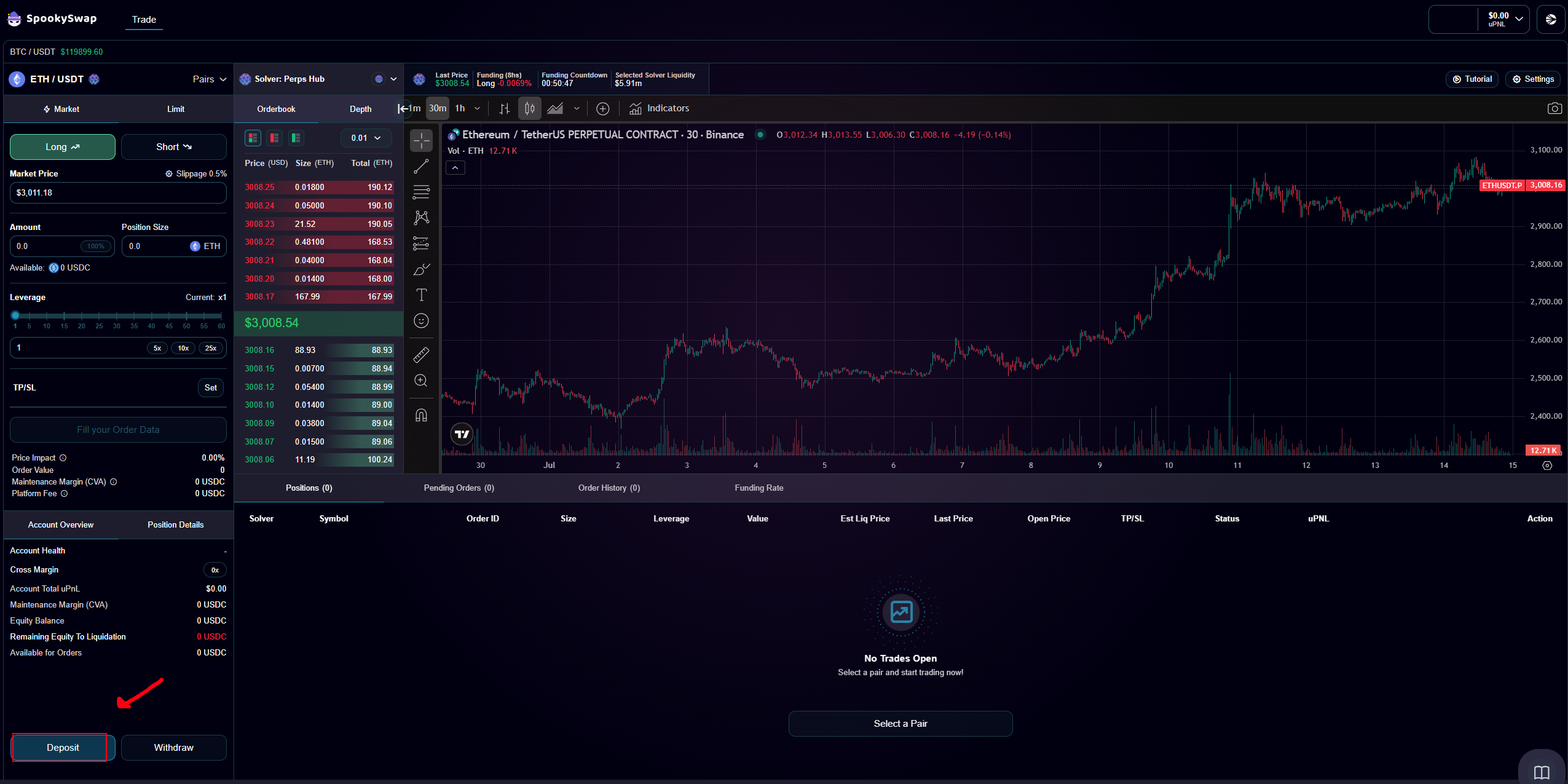
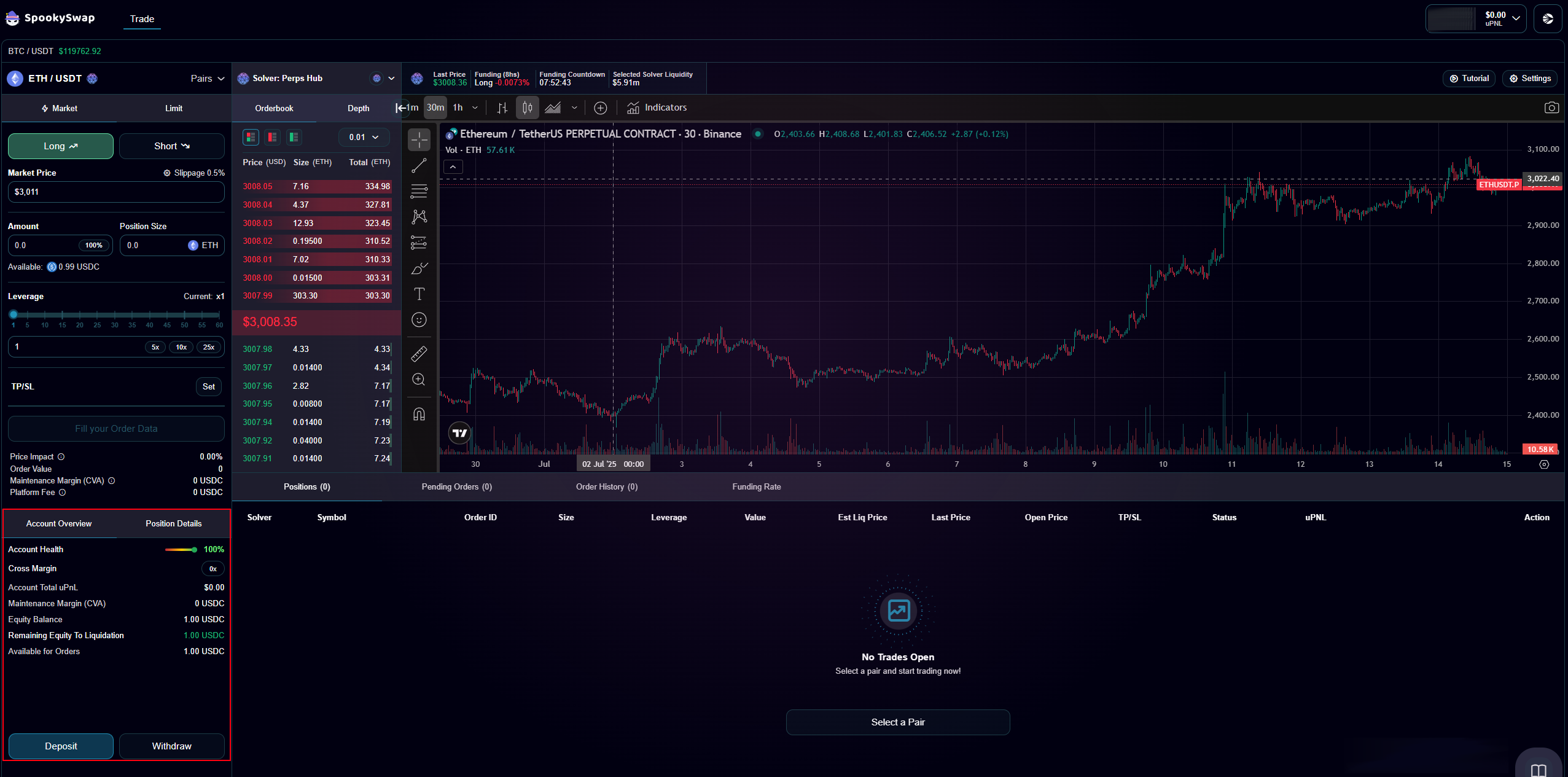
Click Deposit at the bottom of the page.
-
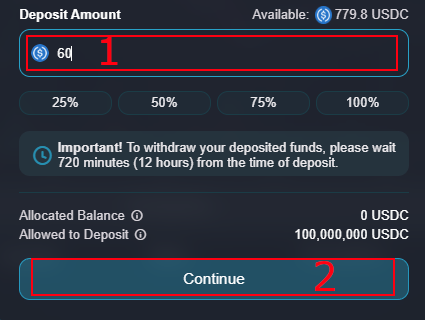
Enter the amount of USDT to deposit and click Continue.
-
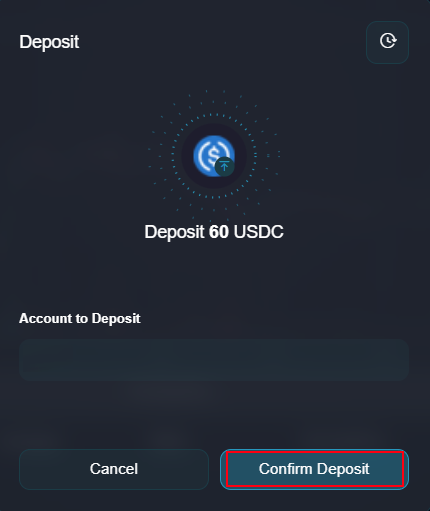
Approve the transaction in your wallet, then click Confirm Deposit.
-
Confirm again via your wallet to complete the process.
-
Your USDT balance now displays at the bottom-left.
Step 3: Set Up Your Position
-
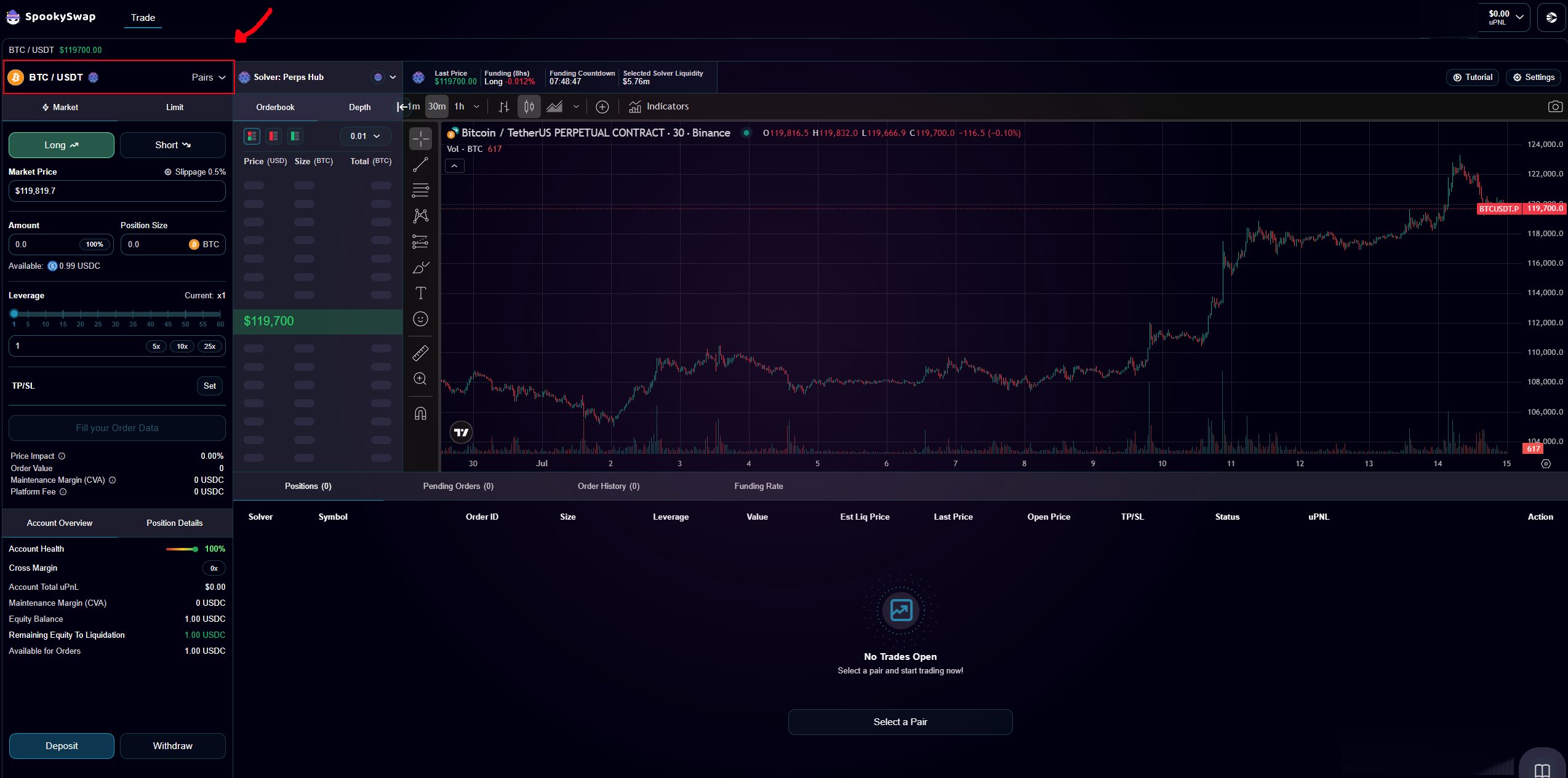
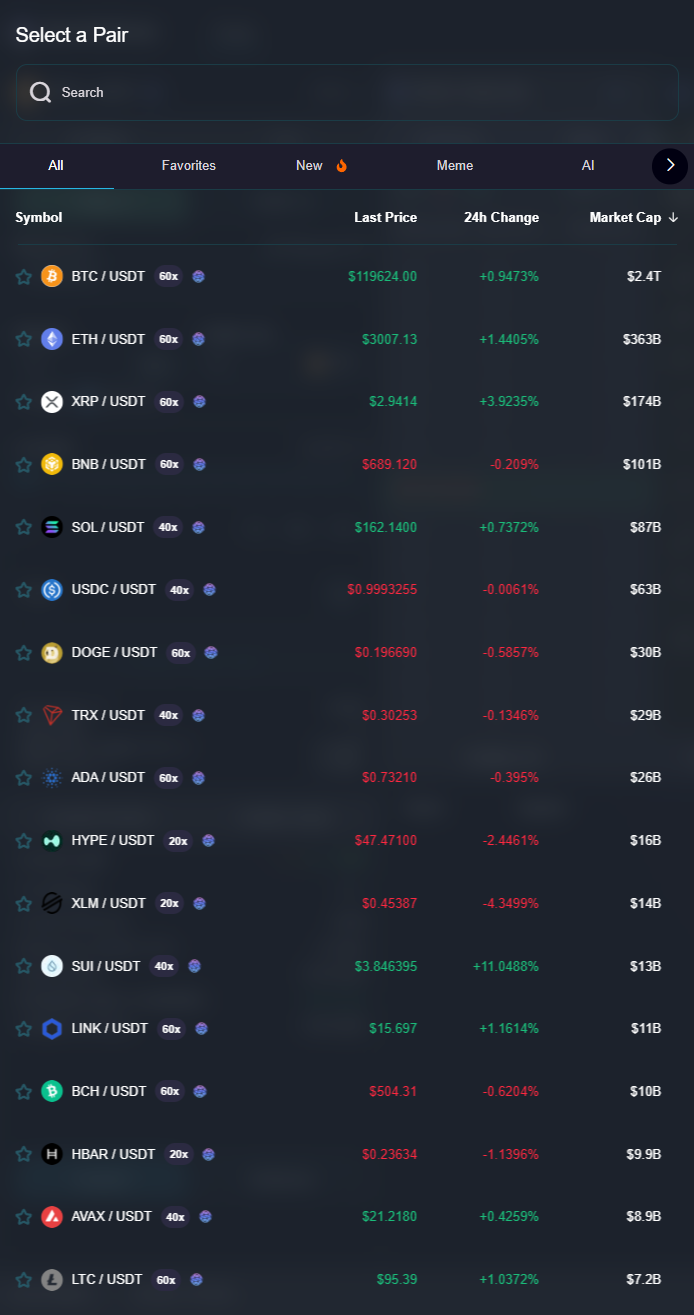
Pick a trading pair (e.g., FLOKI/USDT) from the dropdown.
-
Set your parameters:
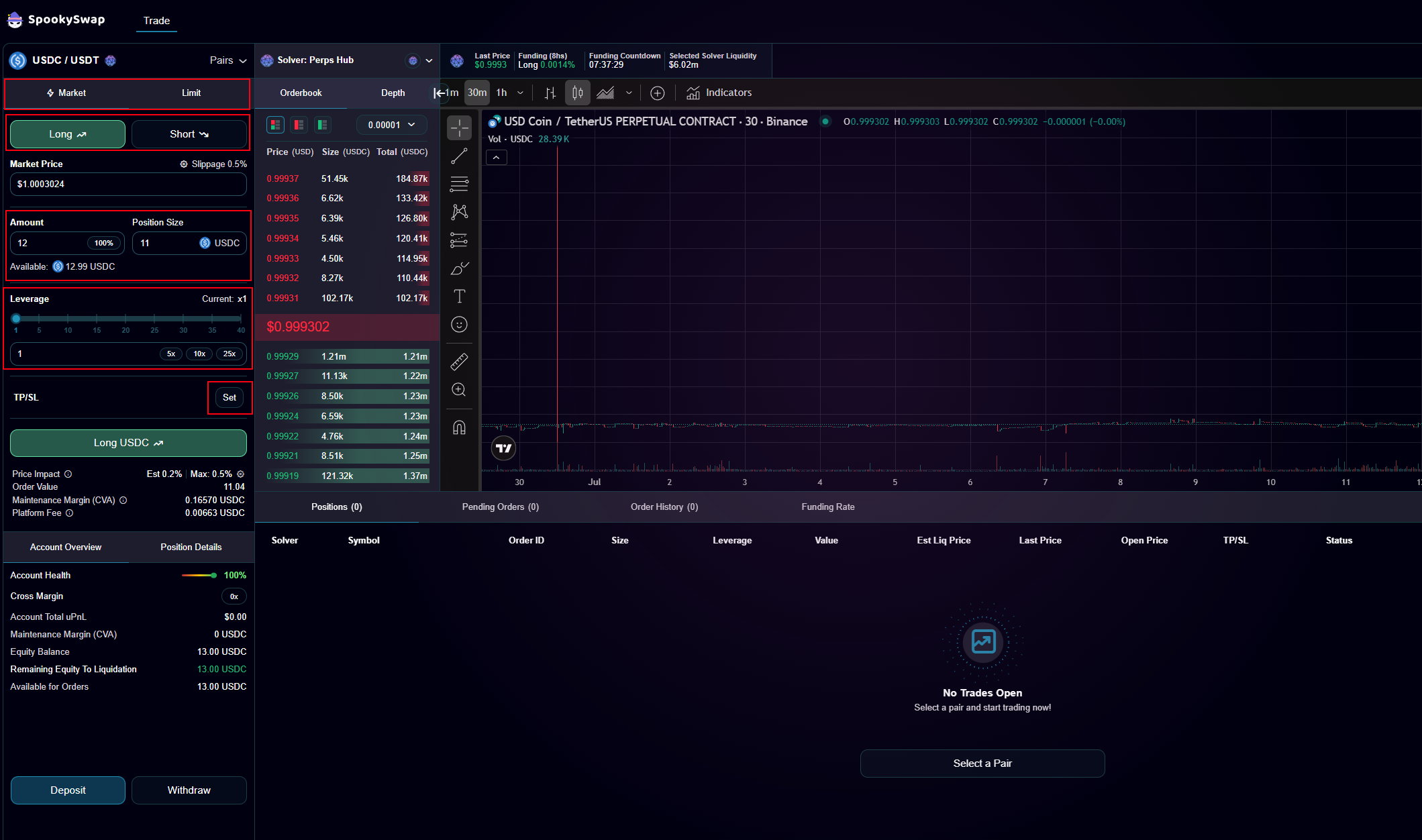
- Order Type: Limit or Market
- Direction: Long (price up) or Short (price down)
- Price & Amount
- Leverage: up to 60x (higher risk = higher liquidation risk)
- TP/SL: Take Profit / Stop Loss
-
Click Confirm below the settings.
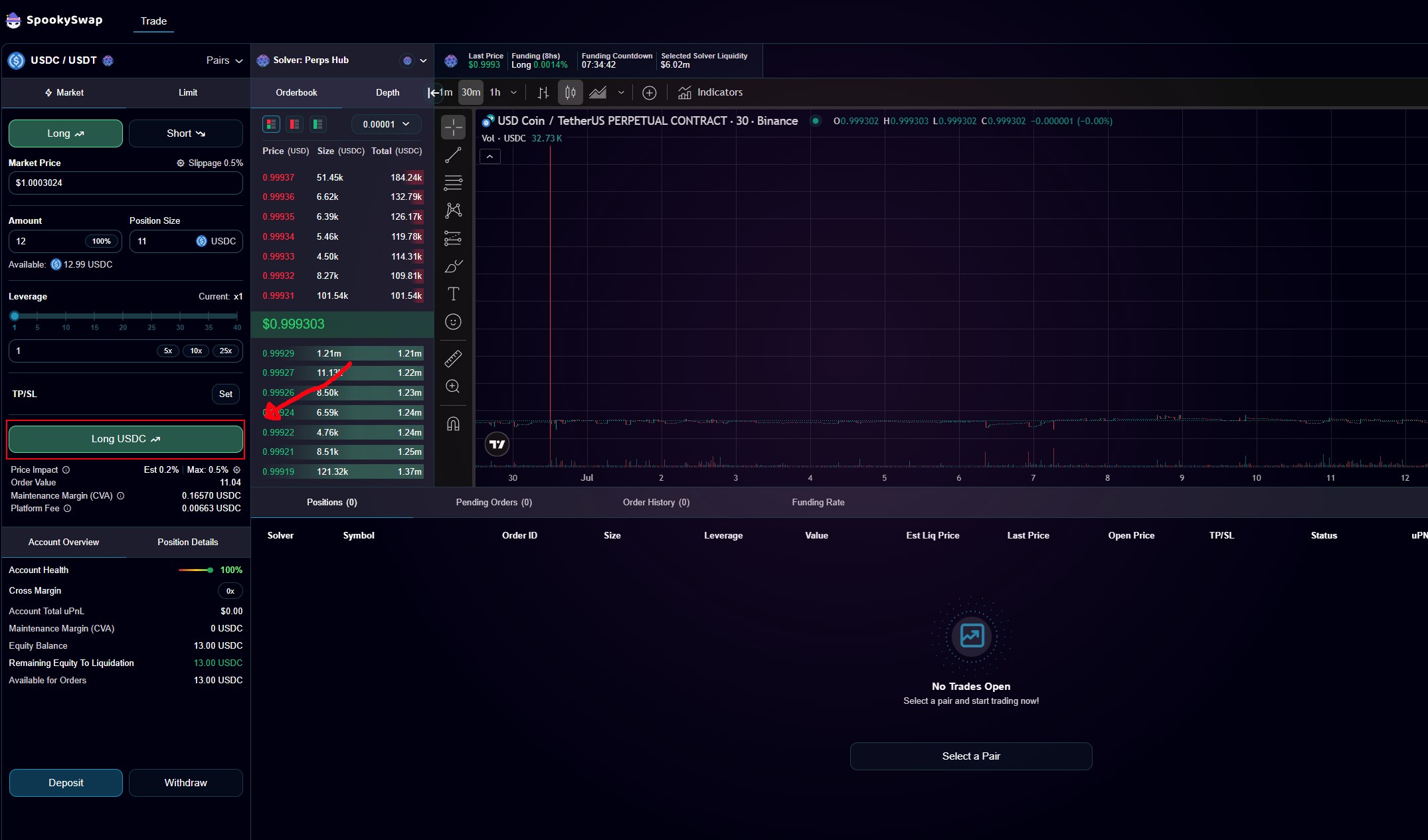
-
Double-check the summary, then open your trade.
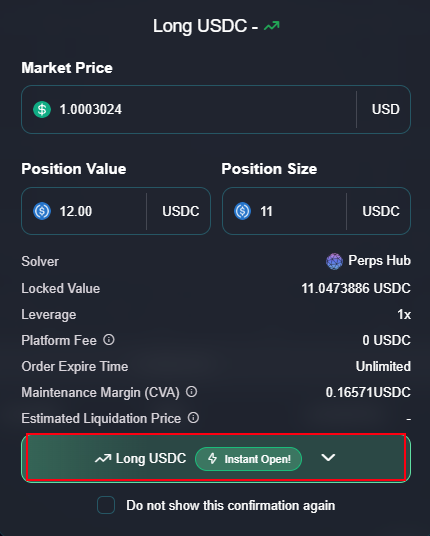
-
Confirm in your wallet. Your active position appears below.
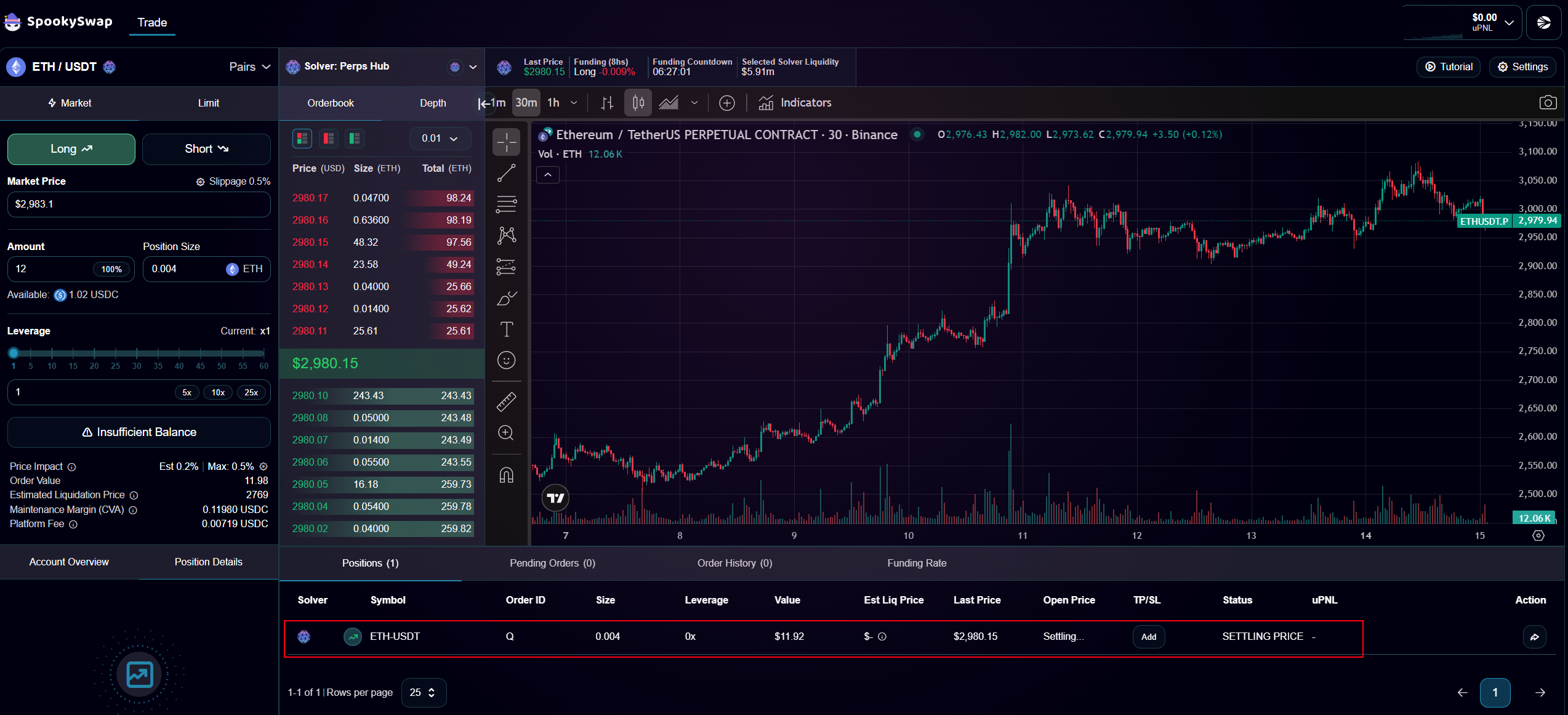
Step 4: Close Your Position
-
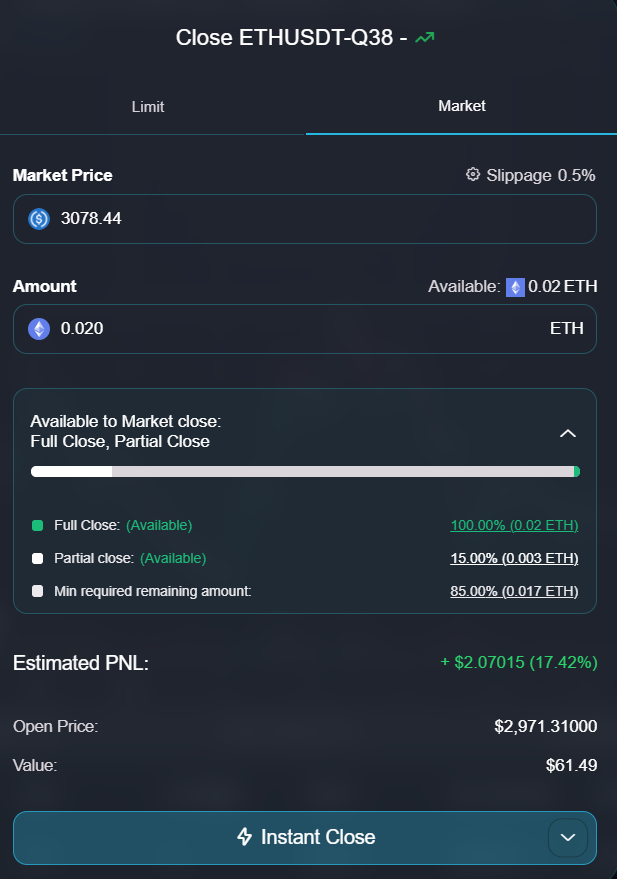
In the position row, click Close.
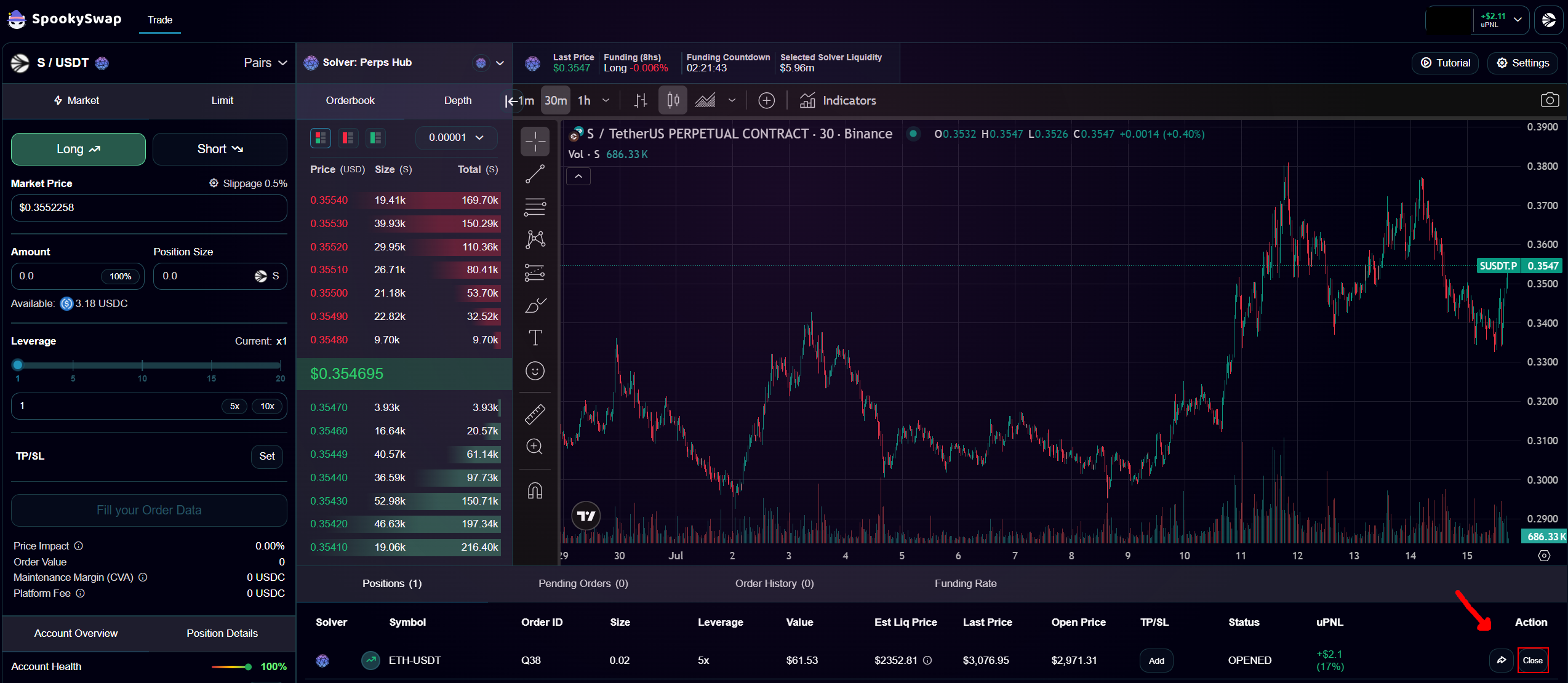
-
Choose Close Position or Instant Close, then confirm.
Disclaimer
SpookySwap does not provide financial advice. Trading futures is risky and may lead to significant gains or losses. Do your own research and fully understand the risks before opening positions.