Migrating Liquidity from SpookySwap V2 to V3
Migrating from V2 to V3 lets you concentrate liquidity into a price range instead of the full range (0, ∞).
Liquidity and any earned fees are first removed from V2, then migrated into a V3 position.
Note
MetaMask may not work on some browsers with SpookySwap V2.
Important
Before migrating, confirm that V3 supports your token.
Steps
-
Open the Liquidity page in SpookySwap V3:
https://v3.spooky.fi/#/pools
-
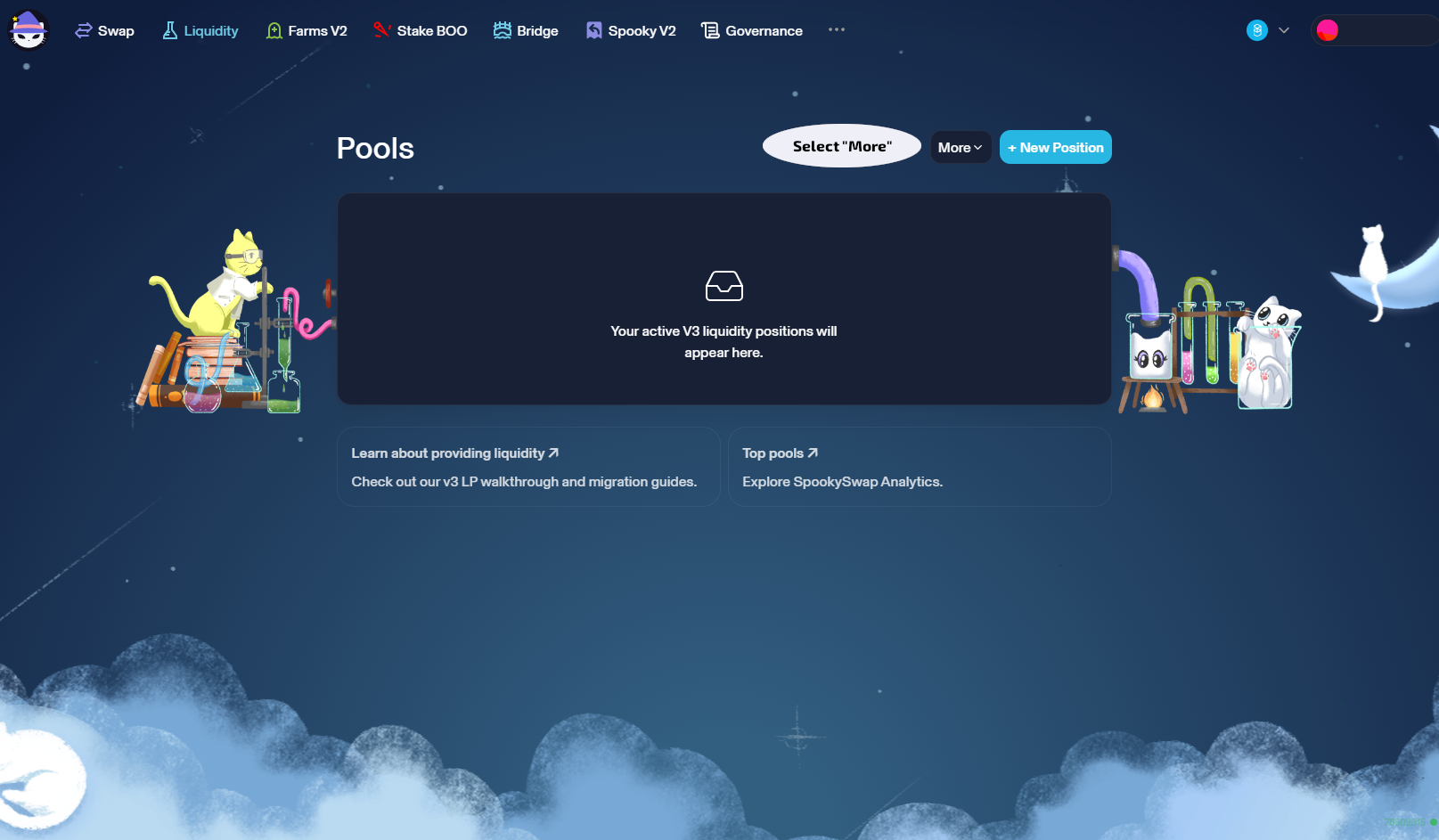
Click More on the V3 liquidity list.
-
Choose Migrate from the dropdown (or go directly):
https://v3.spooky.fi/#/migrate/v2
-
Click Manage next to the LP you want to migrate.

-
On the migration screen, if you don’t see your V2 LP, use Import V2 LP:
https://v3.spooky.fi/#/pools/v2/find
-
Select a fee tier. Lower tiers (0.01%, 0.05%) suit stable pairs; higher tiers (0.3%, 1%) suit volatile/new tokens.
Spooky recommends 0.3% for most pairs.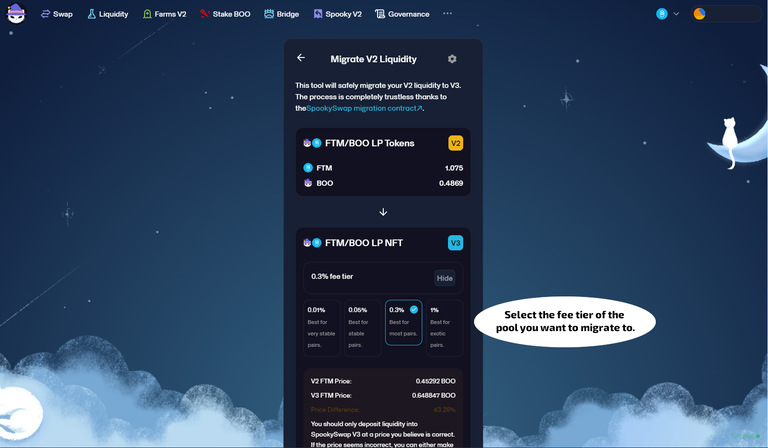
-
Choose a price range for your V3 position.
See: /main-features/concentrated-liquidity